Evaluation number 2.
So having just finished my second animation I feel like this one is a pretty decent improvement on the last. The introduction of multiple camera angles added a tremendous amount in that it wasn't a single jolty camera shot but instead 3 shots that I could clip and fit together with much better precision. That being said I feel my lighting was better on the first animation but unfortunately I don't have that file in my possession so I had to start from scratch.
An issue I did have was the software not playing ball when I tried to alter the anchor point whilst animating. I'm unsure of whether I didn't tick the correct boxes or whether Cinema 4D just doesn't have the capacity for that sort of alteration mid flow. Having that ability at my disposal would've been a tremendous help and I feel my animation could've benefited from it as I would be able to add another element to the clip. That's pretty much my only issue with my animation, however. I found myself able to put it all together a lot faster this time around which was useful, I suppose that means the techniques I'd used before had found their way into my brain and stuck around for a bit.
There's not too much I would change if given the chance to do this task again (please don't make me do this task again). I feel I made ample use of online tutorials when I couldn't find my own way through a problem and where even that failed I quickly made compromises.
Friday, 6 December 2013

7. My 3D Animation
Here you go, the slightly less shoddy version of my animation with extra camera angles. Enjoy.
6. Storyboard and Storyline

5. Visual Designs and Sketches


Just a couple of sketches to show my plans for the lighting and camera movement for the animation, if you see the finished thing you'll notice that I stuck pretty close to my initial ideas. On the bottom image there's also a very brief pin design which I ended up not sticking to at all due to a glitching skin, I feel it looks better all bugged than it would've done if it was normal like I'd planned though.
4. Mood Board

This mood board shows a variety of images that I hope will help me as I endeavour to create my animation. As you can see there are a bunch of pictures of bowling ball designs as well as pins and lanes. I plan to take inspiration from these pictures when designing my own bowling lane complete with pins and ball, I imagine it'll probably be a mixture of parts from all these pictures as they're all really relevant.
3. Mind Map and Animation Concepts

Above you'll see a very low res copy of my mind map, you'll notice that there are 3 ideas with 1 that I chose as my favourite and thought about further. I decided to choose the bowling concept as I've seen a large amount of shows that have a bowling episode at some point, as well the masterpiece that is Kingpin and I feel like I could make something decent out of the idea.
In terms of progression on the concept I've thought about the pins exploding out and knocking down loads of other sets of pins to either side or the bowling ball being subject to a high speed looking chase cam, slamming into the first pin and stopping dead before breaking in 2. We'll see where these concepts take me.
2. 3D Animation Research
3D animation is a whole different kettle of fish to the 2D animation we've looked at in the past, it requires a lot more depth and forethought than just coming up with a concept and putting it down on your preferred medium of media. When you take into consideration the sheer amount of work that goes into creating each individual model then rigging and animating the mind starts to boggle at people actually get it all done. Following will be 3 examples of 3D animation that have inspired me in the past, enjoy.jpeg
Animated Short Film - The Paperman

The Paperman is an animated story about a man who works a monotonous, dull job and has a chance encounter with a woman at the train station one morning. As so often happens in these stories the woman suddenly appears for a job interview in a building across from his and in an attempt to make contact the man throws paper airplanes in her direction but all fail to find their target. Frustrated and done with the boredom his life has become he flees his workplace in an attempt to find her. Whilst he's walking down the street there's a sudden influx of Fantasia-esque Disney magic as the paper airplanes forcibly lead the man and coerce the woman into travelling back to the train station at which they met where they finally see each other and the short ends.
The animation and storyline is naturally brilliant throughout this film, but you wouldn't expect anything less from Disney. My favourite aspects are the fact that it's shot entirely in greyscale par the red of the woman's lipstick which as a result seems so much more vibrant, and also that there's no dialogue so the story has to be explained through the animation and the soundtrack. All in all it's a masterpiece of an animated short, and has been recognised as such with a coveted best animated short Oscar.
3D Animation in Games

Games take a huge amount from 3D animation, be it from creating an environment to later navigate to creating and animating all the in-game models that the player will control or converse with. Luckily we've come to a place in 3D animation where we needn't toil over a hot computer in the hopes of creating the perfect arm or leg movement, we can simply don a motion capture suit and get true to life human movements.
A way that games are currently unique to other forms of animation is the fact that when you're controlling a third person game you have the ability to move the camera and see things happening from more than just one fixed angle. This means that the game will require a good 3D engine to anticipate and show all realtime changes that may be happening around the player at any time.

Animated Short Film - The Paperman
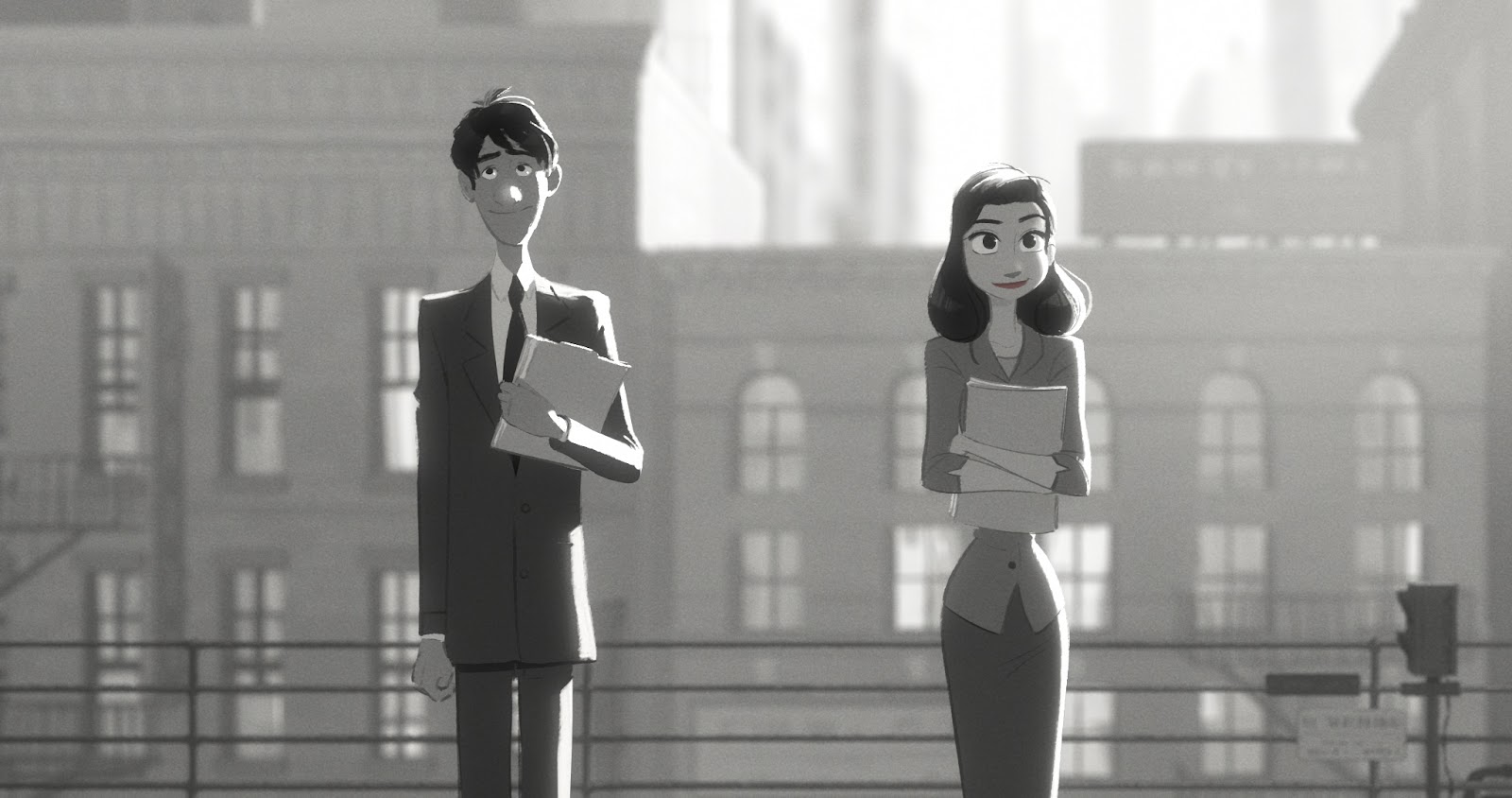
The Paperman is an animated story about a man who works a monotonous, dull job and has a chance encounter with a woman at the train station one morning. As so often happens in these stories the woman suddenly appears for a job interview in a building across from his and in an attempt to make contact the man throws paper airplanes in her direction but all fail to find their target. Frustrated and done with the boredom his life has become he flees his workplace in an attempt to find her. Whilst he's walking down the street there's a sudden influx of Fantasia-esque Disney magic as the paper airplanes forcibly lead the man and coerce the woman into travelling back to the train station at which they met where they finally see each other and the short ends.
The animation and storyline is naturally brilliant throughout this film, but you wouldn't expect anything less from Disney. My favourite aspects are the fact that it's shot entirely in greyscale par the red of the woman's lipstick which as a result seems so much more vibrant, and also that there's no dialogue so the story has to be explained through the animation and the soundtrack. All in all it's a masterpiece of an animated short, and has been recognised as such with a coveted best animated short Oscar.
3D Animation in Games

Games take a huge amount from 3D animation, be it from creating an environment to later navigate to creating and animating all the in-game models that the player will control or converse with. Luckily we've come to a place in 3D animation where we needn't toil over a hot computer in the hopes of creating the perfect arm or leg movement, we can simply don a motion capture suit and get true to life human movements.
A way that games are currently unique to other forms of animation is the fact that when you're controlling a third person game you have the ability to move the camera and see things happening from more than just one fixed angle. This means that the game will require a good 3D engine to anticipate and show all realtime changes that may be happening around the player at any time.
3D Animation in Films

3D animation has been in use in the movie scene for a while now though it hasn't always been the computer generated work that we see and are used to nowadays. Clay animation has been used in movies as early as the 1920s and was one of the earlier techniques devised to move out of 2D and into the 3D. These methods of stop motion animation are still very much in use today, think The Lego Movie, though through advances in technology we can employ a computer to do most of the leg work nowadays.
With these brilliant programs we're able to use 3D modelling not just as part of a fully animated movie but also to integrate into a live action feature, think Smeegle from LoTR. With every year the software used advances and the models become more and more difficult to spot alongside the un-enhanced actors.
1. Cinema 4D Animation and Models


The picture above shows a model of a character that I made using Cinema 4D from a picture I found on the internet. In the screen shots you'll notice that there's a visible skeleton which was created with the joint tool in order to animate the model. To do this it was a simple case of creating a spine in the centre of his body by clicking at relevant points along his torso then toggling reflection and placing the joints in his extremities. It was simple and only took a couple of minutes to do, making sure that each point matched up with the character in both the front and side view to avoid it animating poorly. By doing this I'm allowing myself to animate his body in as similar a way as possible to a normal human being.
After placing the skeleton, however, I had to link it to the body before I could actually animate at all. I did this through use of the bind tool. After this it was a case of creating a chain for every extremity that I wanted to animate, so I made a link for each arm and leg.

In my revisited attempt at this animation I made use of multiple camera angles which I compiled on Final Cut Pro. One of these camera angles had the bowling ball set as a target. To do this I simply right clicked on the camera in the list of objects and went Tag>Target, followed by dragging the sphere item into the relevant box. This is an incredibly easy way of getting accurate pan shots that don't jitter or jolt at all.
Similarly to my last animation I also made a fair bit of use of lighting, I used a sunlight to illuminate the whole scene slightly then implemented a few spotlights where I felt the scene needed further brightening. One was placed on the bowling ball start place and one on either side of the pin, as well as one looking down on where the pin would fall. In doing this I made it so there wouldn't be any major shadows and therefore a lack of detail.


Subscribe to:
Posts (Atom)